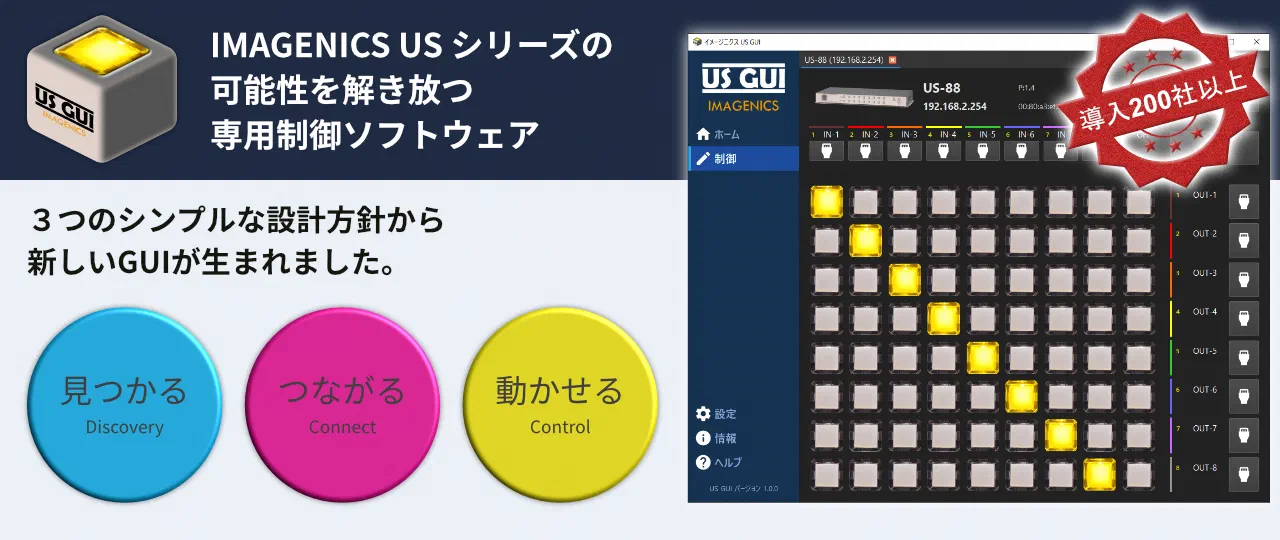
On the floor of a professional HDMI switcher deployment, you find different setup procedures for each model, model-specific control methods, and the back-and-forth of sharing configuration information across multiple units. US GUI is the dedicated control software that lets you handle the IMAGENICS US Series — five models in all (US-88, US-82IL, US-82, US-42, US-41) — in a single application.
Deploying a professional switcher means per-model initial setup, network configuration, naming of inputs and outputs, and more. Running multiple units means configuration information lives in handwritten notes, and every device swap means repeating the same work.
The relearning that comes with each new model. The control procedures specific to each one. Checking for IP address conflicts. On a floor that handles professional equipment, these quiet costs accumulate, reliably eating into the time that should go to actual operation.
US GUI was born from a partnership with IMAGENICS Co.,Ltd. With a hardware manufacturer and a software development company designing it together, the result is software that brings out what the hardware can do.
US GUI’s design starts from consolidating the work that goes into operating professional equipment into a single application, instead of scattering it across an assortment of tools. Our development team handled specification through architecture design, software implementation, and the user interface, and the combination with IMAGENICS Co.,Ltd.’s hardware expertise is what made the software draw out the hardware’s strengths.
The development of US GUI was not something that ended with a single software handover for either company. Alongside the work on the product, Liberal Logic Inc.’s approach to work left a cultural influence on IMAGENICS Co.,Ltd.’s development stance.
The work that goes into operating and managing professional video equipment — relearning each new model, hand-managing configuration information, repeating the same initial setup — is the kind of work that doesn’t show up on the surface but reliably eats into the day. US GUI consolidates that quiet burden into a single piece of software, giving back the time that can go to the actual operational work.
What we deliver is switcher control software. What is being created on the ground, however, is the experience of operating professional video equipment shifting from “relearning each new model” to “setting up the operating environment.”